
Marking Lessons as Completed (Mark as Watched)
Updated
Assalamu Alaikum Wa Rahmatullahi Wa Barakatuh.
The Mark as Watched feature helps you track your progress as you move through lessons on AMAU Academy. It allows you to see which lessons you have already completed and continue your studies from where you left off.
What is “Mark as Watched”?
“Mark as Watched” is a progress-tracking feature that records lessons you have viewed.
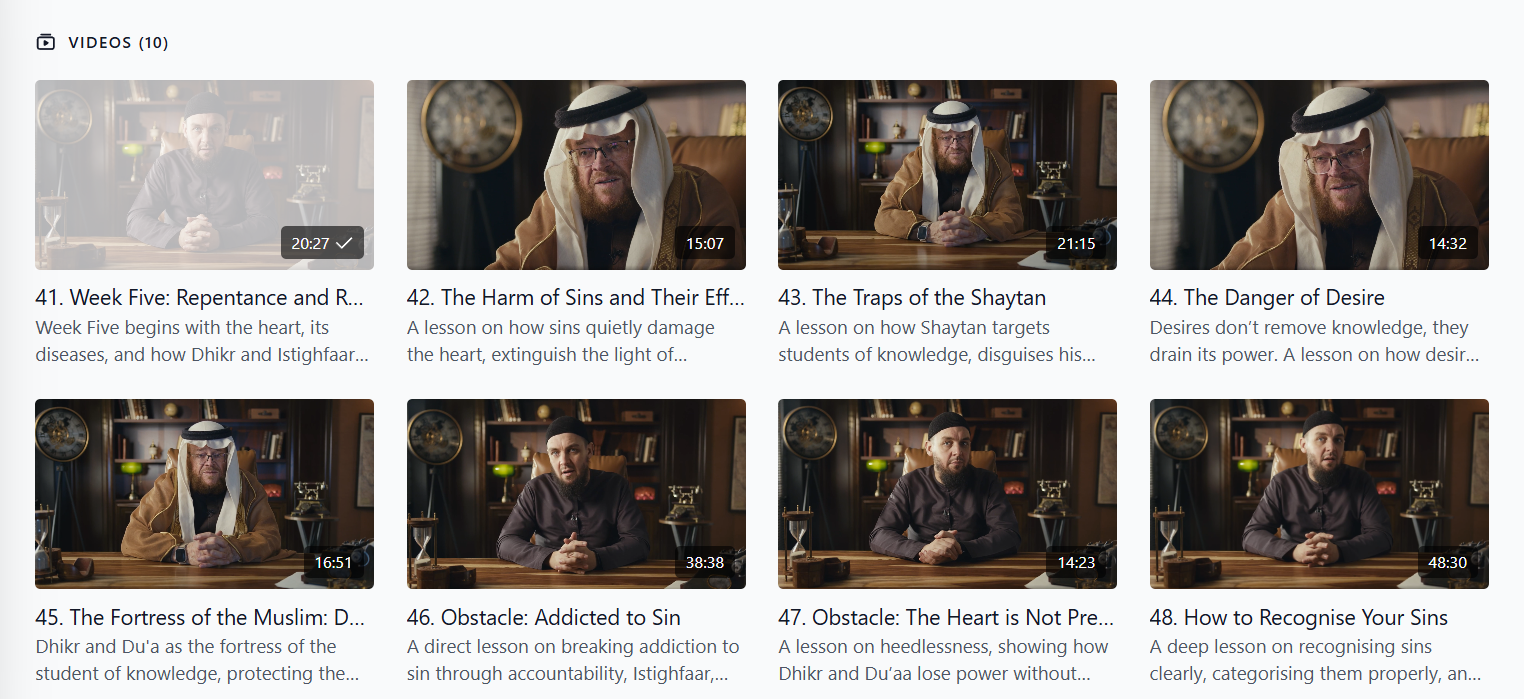
When a lesson is marked as watched:
• The video thumbnail appears faded
• A checkmark appears next to the lesson
• Completed lessons are easier to recognise
This helps you keep track of your progress within a playlist or programme.
Availability
This feature is available across all platforms, including:
• Web browsers
• Mobile browsers
• iOS and Android apps
• TV apps (including Samsung TV)
It is available for all subscription plans.
How Lessons Are Marked as Watched
Automatic Tracking
Lessons are automatically marked as watched when:
• 90% or more of the video has been viewed, or
• The playback bar reaches the 90% mark, even if some parts were skipped.
This allows the platform to record your progress automatically.
Visual Progress Indicators
Once a lesson is marked as watched:
• The lesson thumbnail becomes faded • A checkmark appears beside the video timestamp
These indicators help you quickly identify completed lessons.
Web Platform
On the web version of the platform, you can:
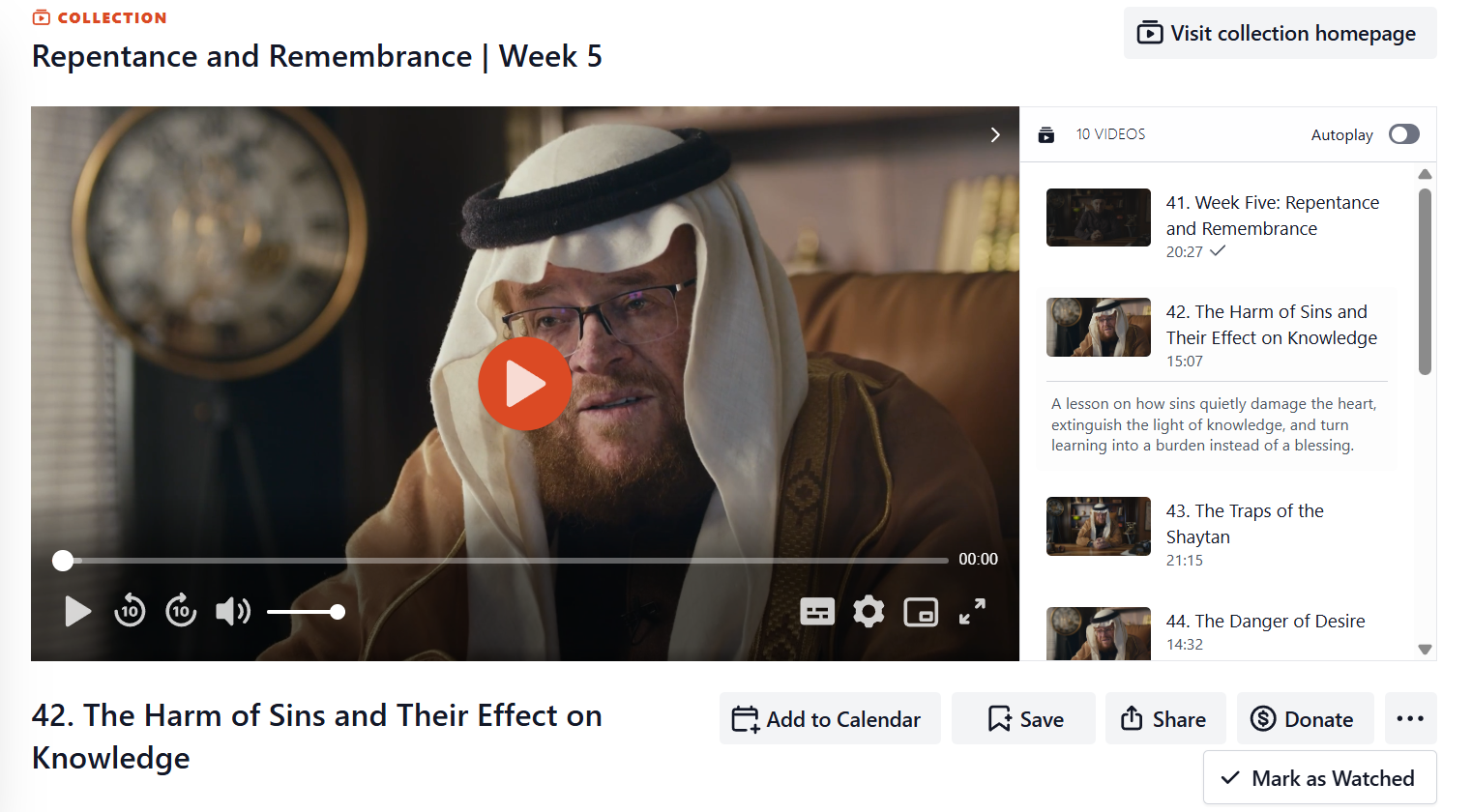
• Use the Mark as Watched button below the video player. Just click on the horizontal ellipsis (…)
• Manually mark a lesson as watched
• Remove the watched status if you revisit the lesson for revision
Mobile Apps (iOS and Android)
On mobile apps (version 3.7.0 and above), you can:
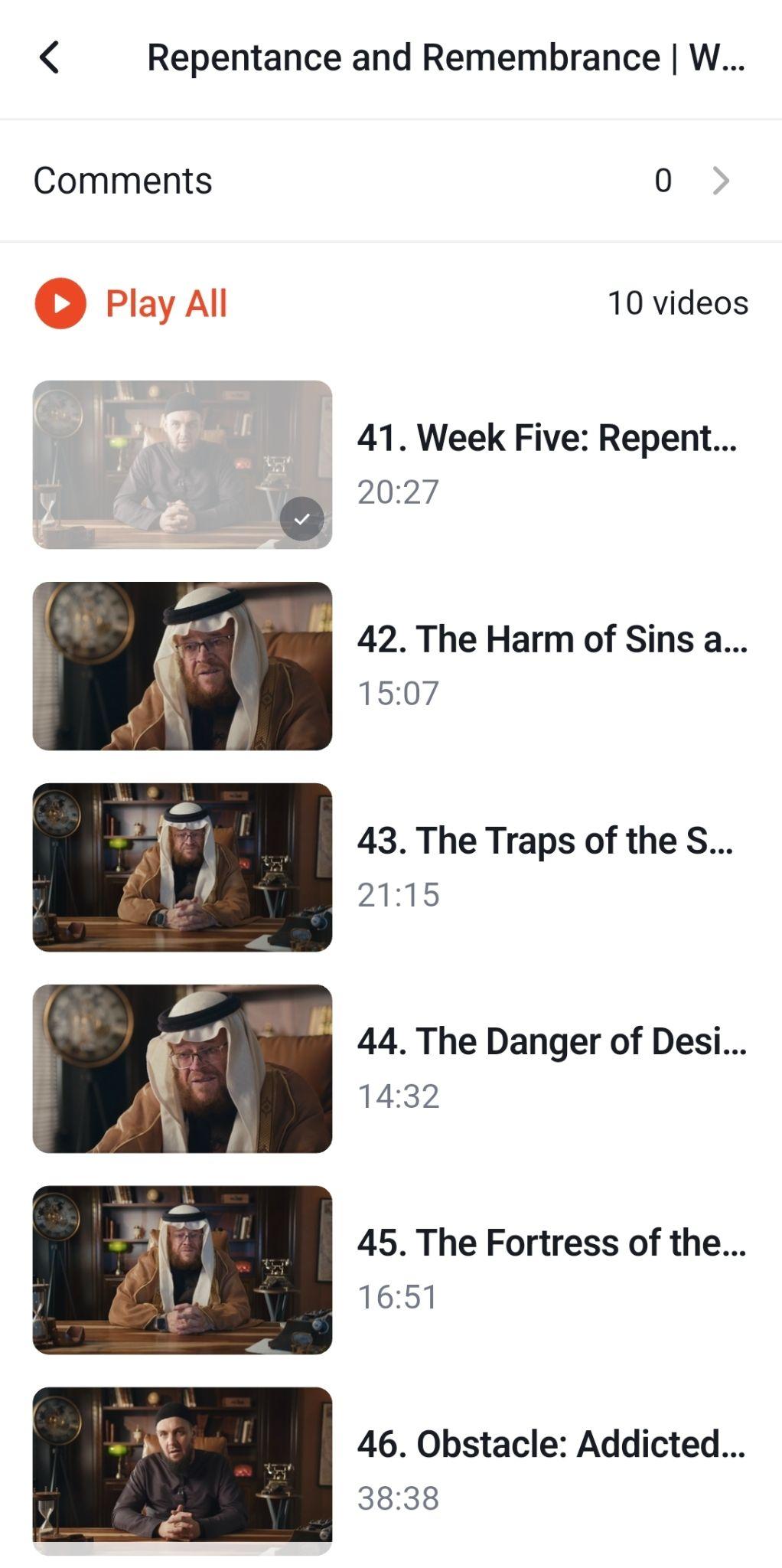
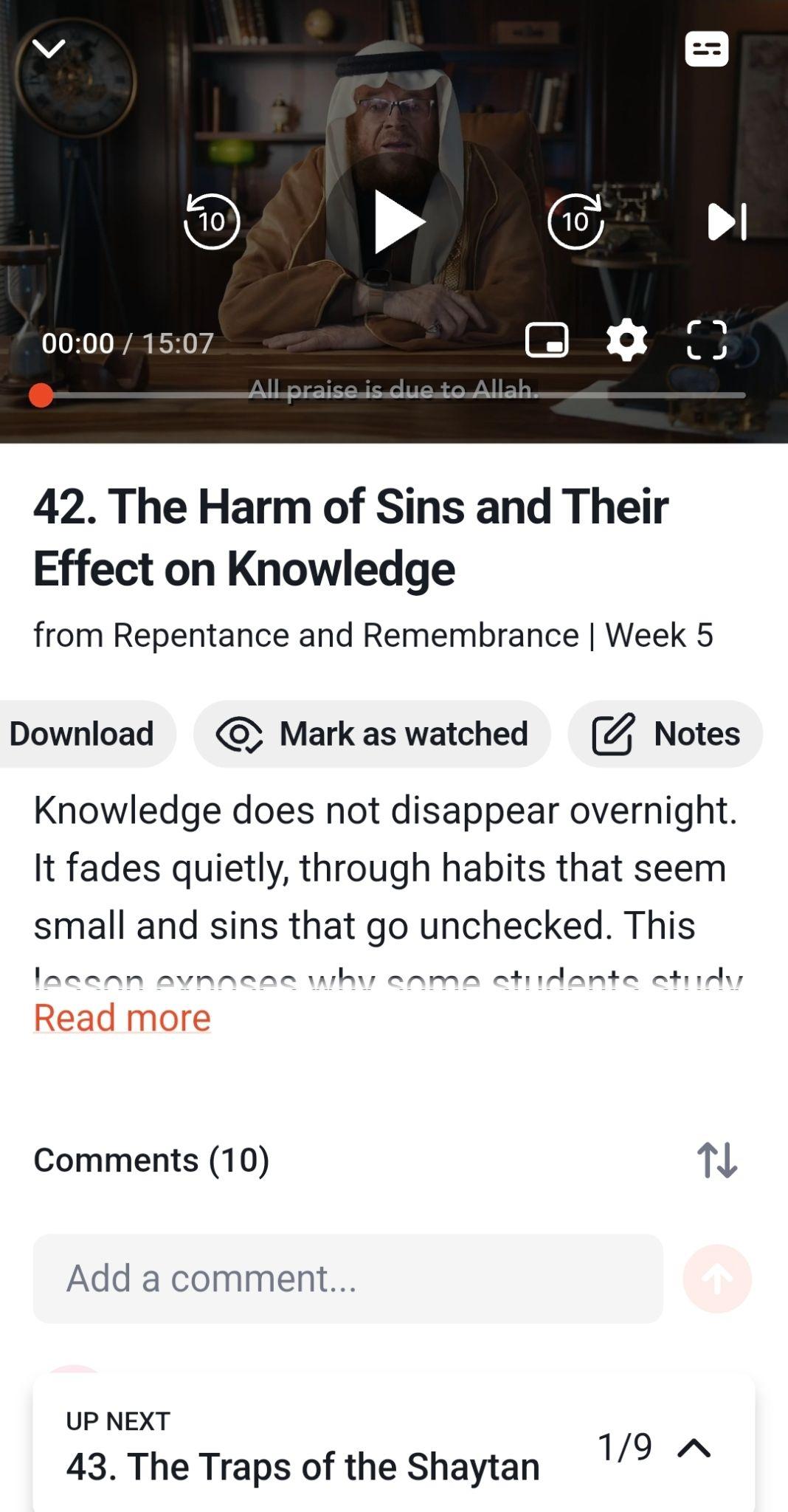
• Identify completed lessons through faded thumbnails and checkmarks
• Access the Mark as Watched option from the action bar
• Mark or unmark lessons with a single tap
Note: Lessons viewed through the Calendar feature on mobile apps are automatically marked as completed with a green checkmark.
TV Apps
This feature is also available on TV applications, including Samsung TV, allowing progress to be tracked across different viewing devices.
If your progress does not appear correctly:
• Try refreshing the page or updating the app
• Make sure at least 90% of the lesson has been viewed
May Allah place barakah in your studies and make your pursuit of knowledge beneficial.
For any further queries please contact helpdesk@amauacademy.com