
Downloading Resources
Updated
Assalamu Alaikum Wa Rahmatullahi Wa Barakatuh.
At AMAU Academy, many lessons include downloadable resources to support your studies. These materials allow you to review, reflect, and engage with the content more effectively.
Resources may include:
• Notes, journals or worksheets
• Reference materials or handouts
• Summaries or study guides
These materials are designed to complement the lessons and support deeper learning.
How to Access Resources
Video & Livestream Pages
To download resources attached to a video or livestream:
-
Open the video page.
-
Go to the Description tab below the video player.
-
Download the attached files listed there.
Note: Hovering over a resource will display a short description of the file.
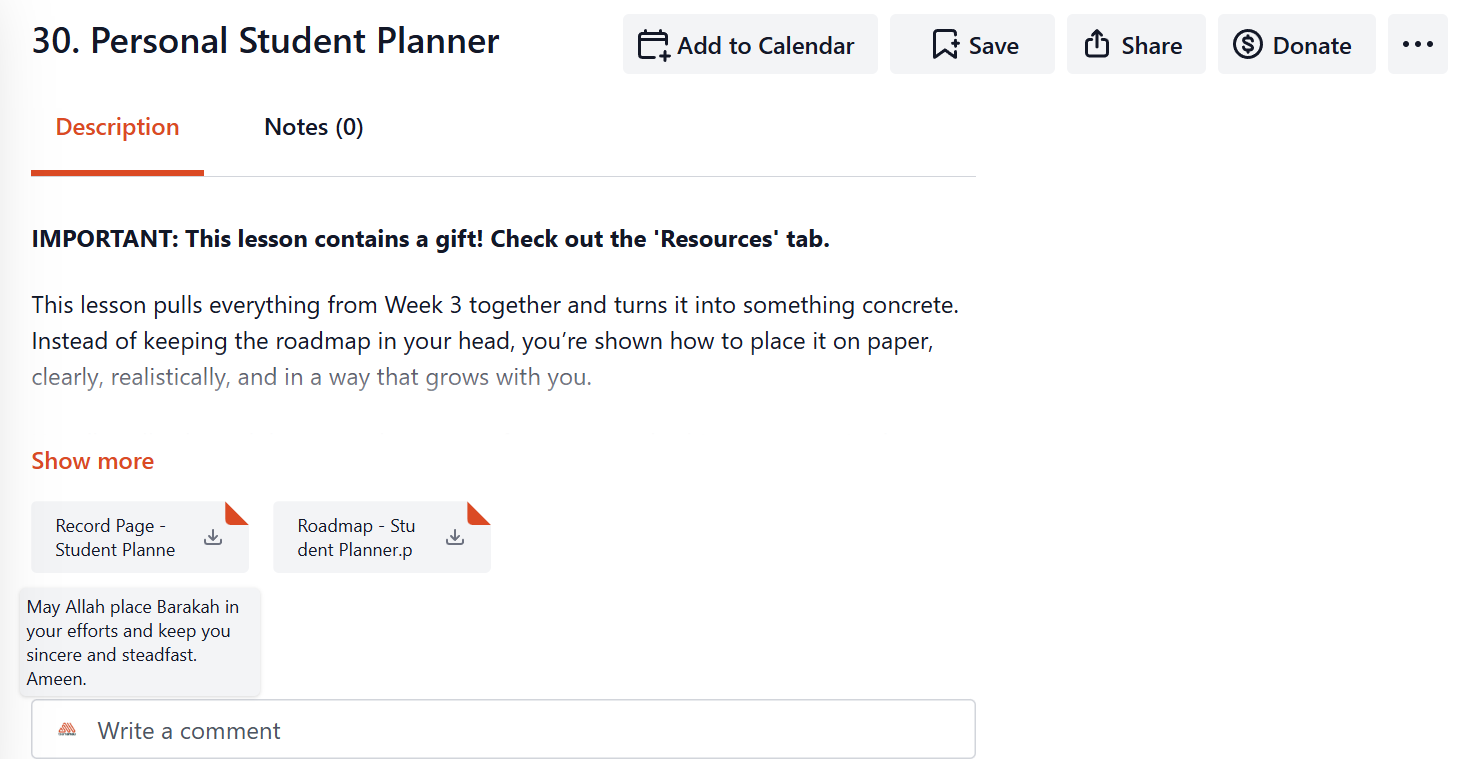
Resources are gated with the content, meaning only members who have access to the video can download the associated resources.
Playlists
Resources may also appear within playlists.
• Playlist-level resources appear on the Playlist Home Page description.
• Video-level resources appear on the individual Playlist Page for each video.
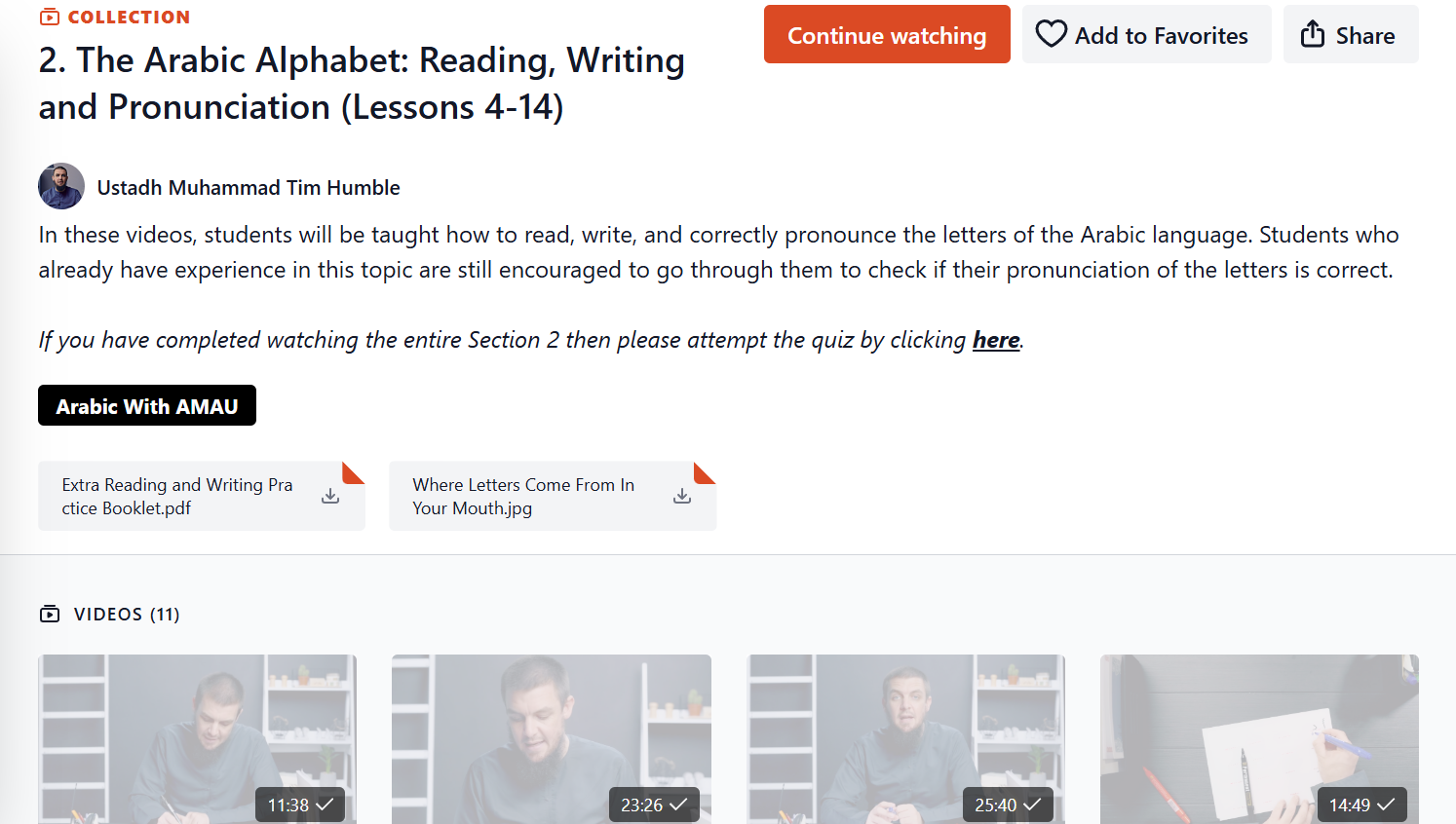
Resources attached to the playlist itself are separate from those attached to individual videos.
Mobile Apps (iOS and Android)
Resources are also available on the mobile apps.
• They appear under the Description tab on the video player page.
• Both playlist-level and video-level resources can be downloaded.
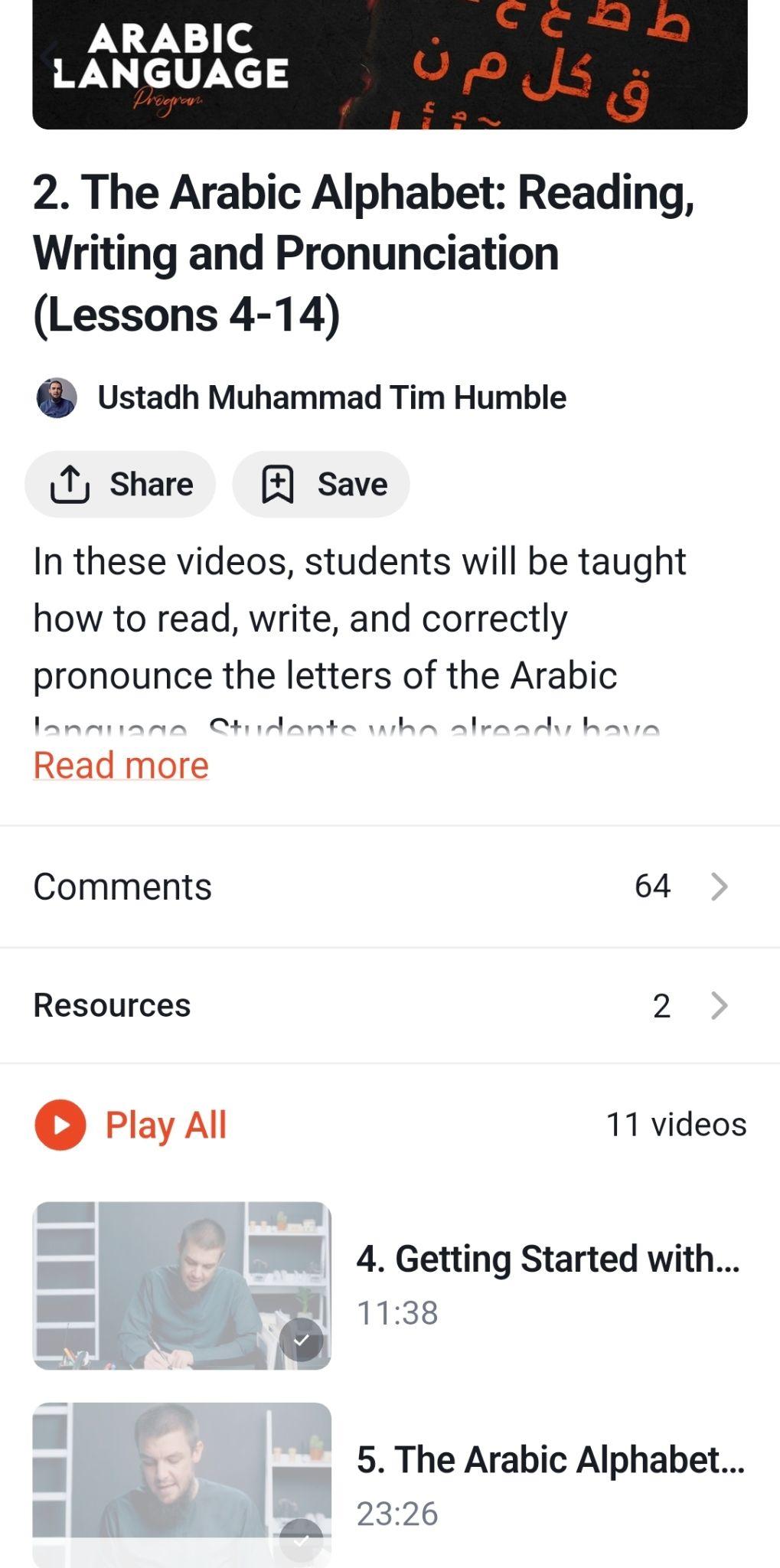
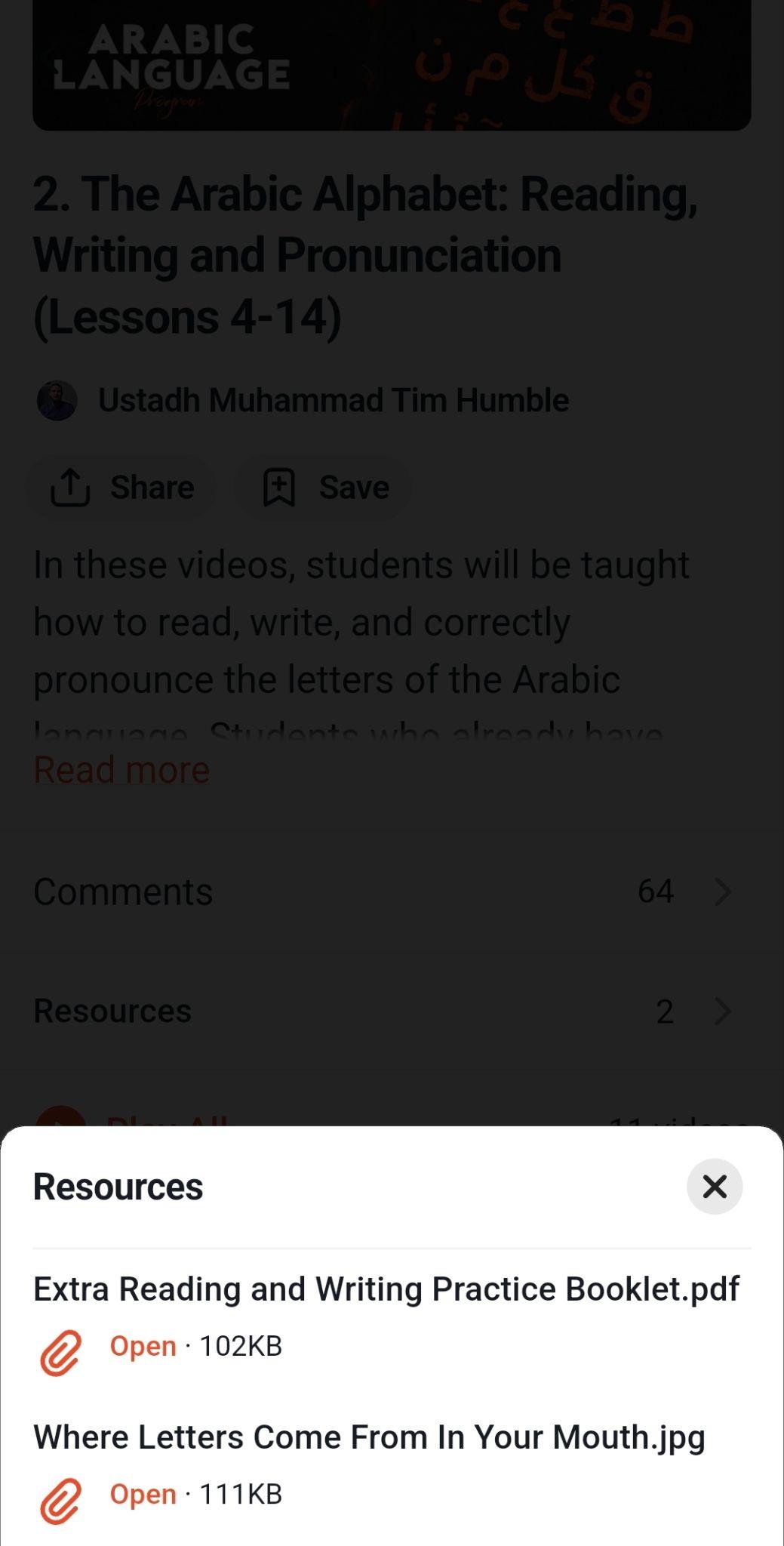
Once downloaded while connected to the internet, resources can be accessed offline.
Download times may vary depending on:
• File size
• Internet connection speed
• Device performance
Tips for Students
• Download resources while online to ensure they are available offline.
• Organise downloaded files into folders for each programme or playlist.
• Use the worksheets and reference materials alongside the video lessons for better understanding.
May Allah place barakah in your studies and make your pursuit of knowledge beneficial.
For any further queries please contact helpdesk@amauacademy.com