
Continue Watching Feature
Updated
Assalamu Alaikum Wa Rahmatullahi Wa Barakatuh.
The Continue Watching feature helps you return to lessons that you have started but have not yet completed. It allows you to quickly resume your studies without needing to search for the lesson again.
What Is the Continue Watching Feature?
The Continue Watching section displays videos that you have already started watching.
It allows you to:
• Resume lessons from where you stopped
• Keep track of lessons in progress across different programmes and playlists
• Continue studying without losing your place
How It Works
The Continue Watching feature works automatically.
• A video appears in this section once you begin watching it.
• Your viewing progress is saved automatically.
• Once a lesson is fully watched (or within a few seconds of completion), it is removed from the section.
Your progress is synchronised across platforms, allowing you to continue learning whether you are using the web platform, mobile apps, or TV apps.
Web Platform
On the web version of AMAU Academy:
• The Continue Watching section appears near the top of the catalogue page.
• You can click any video to resume from where you left off.
• Progress bars on thumbnails show how much of the video has been watched.
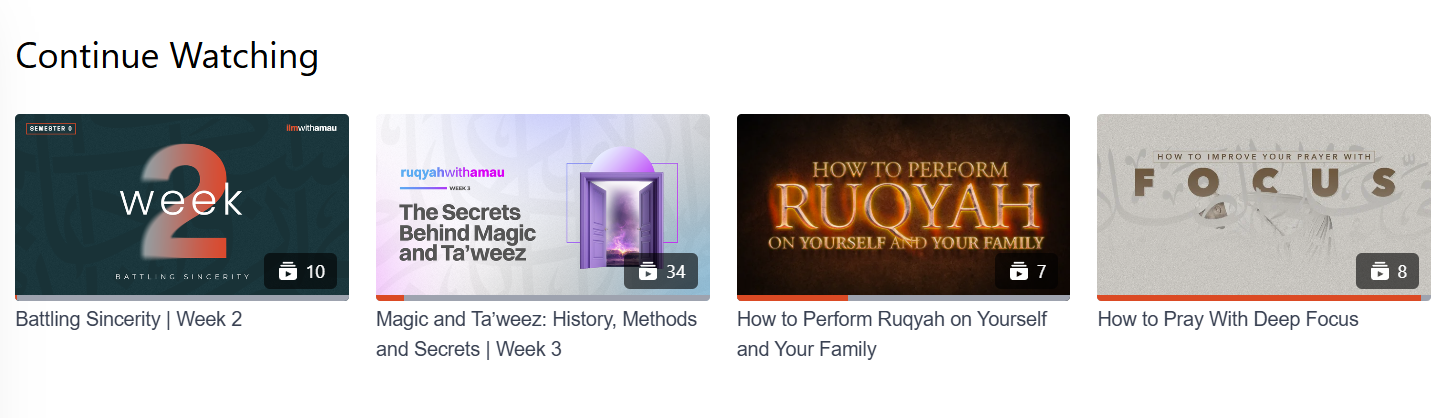
Fully watched lessons are removed automatically to keep the section organised.
Mobile Apps (iOS and Android)
On mobile apps, the Continue Watching feature provides:
• Quick access to lessons currently in progress
• The ability to resume lessons easily while on the go
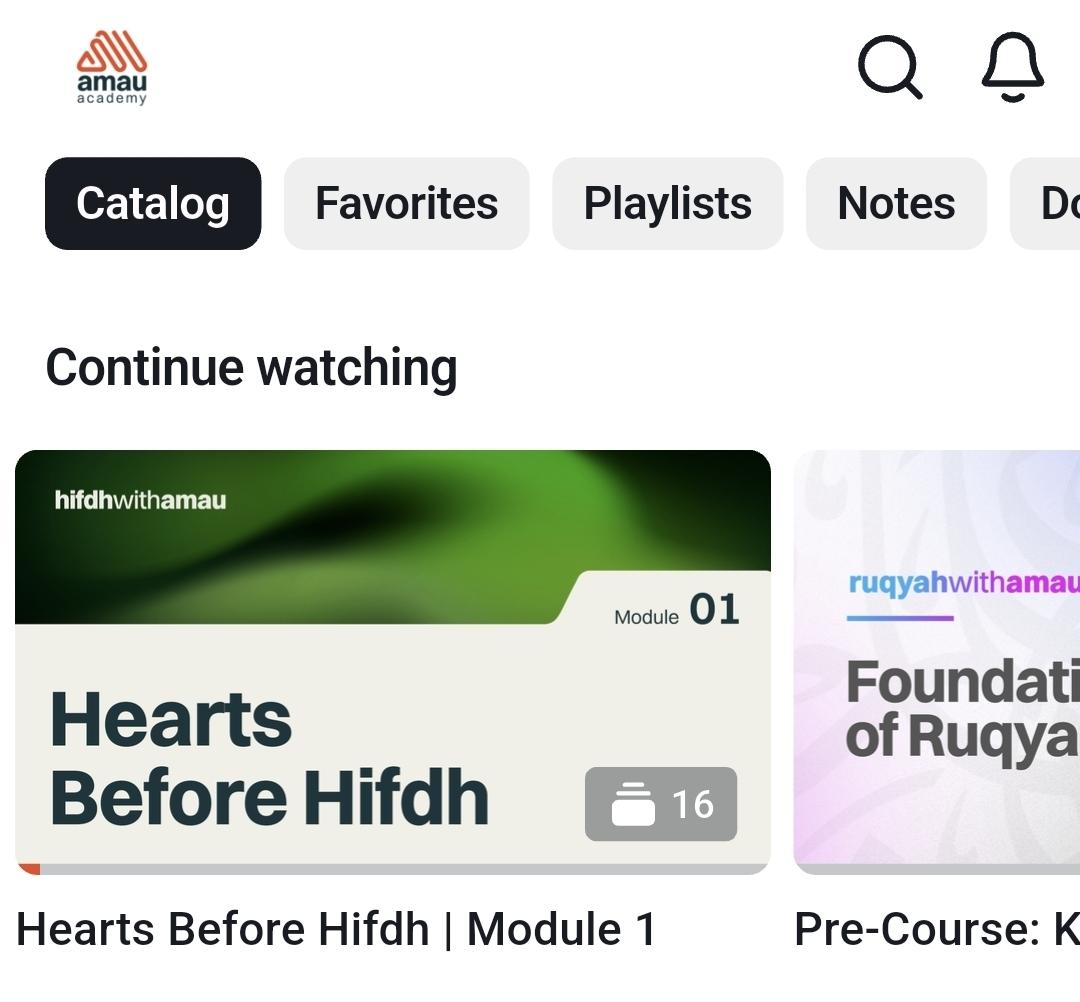
Videos are added automatically based on your viewing activity.
TV Apps
The Continue Watching feature is also available on TV platforms, including:
• Apple TV
• Roku
• Fire TV
• Android TV
This allows you to continue watching lessons across different devices.
Why This Feature Is Helpful for Students of Knowledge
The path of knowledge is not a race. What matters most is consistency over time.
The Continue Watching feature supports this by helping you:
• Take small, consistent steps in your studies
• Resume lessons easily without losing your place
• Track your learning visually through progress indicators
Each lesson you return to represents time spent seeking beneficial knowledge. Even small, consistent efforts can lead to meaningful progress.
Tips for Using Continue Watching Effectively
To benefit from this feature:
• Set simple study goals - even 15—20 minutes of study regularly can be more beneficial than long, irregular sessions.
• Use the progress bar as motivation - each lesson brings you closer to completing the playlist or programme.
• Use the “Mark as Watched” feature after finishing a lesson to clearly track completed material.
• Take time to reflect and apply what you learn, as knowledge becomes most beneficial when it is implemented.
May Allah place barakah in your studies and make your pursuit of knowledge beneficial.
For any further queries please contact helpdesk@amauacademy.com