
How to Log In to the AMAU App
Updated
Assalamu Alaikum Wa Rahmatullahi Wa Barakatuh.
Logging in to the AMAU app is simple. You can sign in using either a Magic Link or your password.
Magic Link Sign-In (Recommended)
The Magic Link is the fastest way to sign in. It allows you to log in without entering a password.
Steps
- Open the AMAU app and go to the Sign In page.
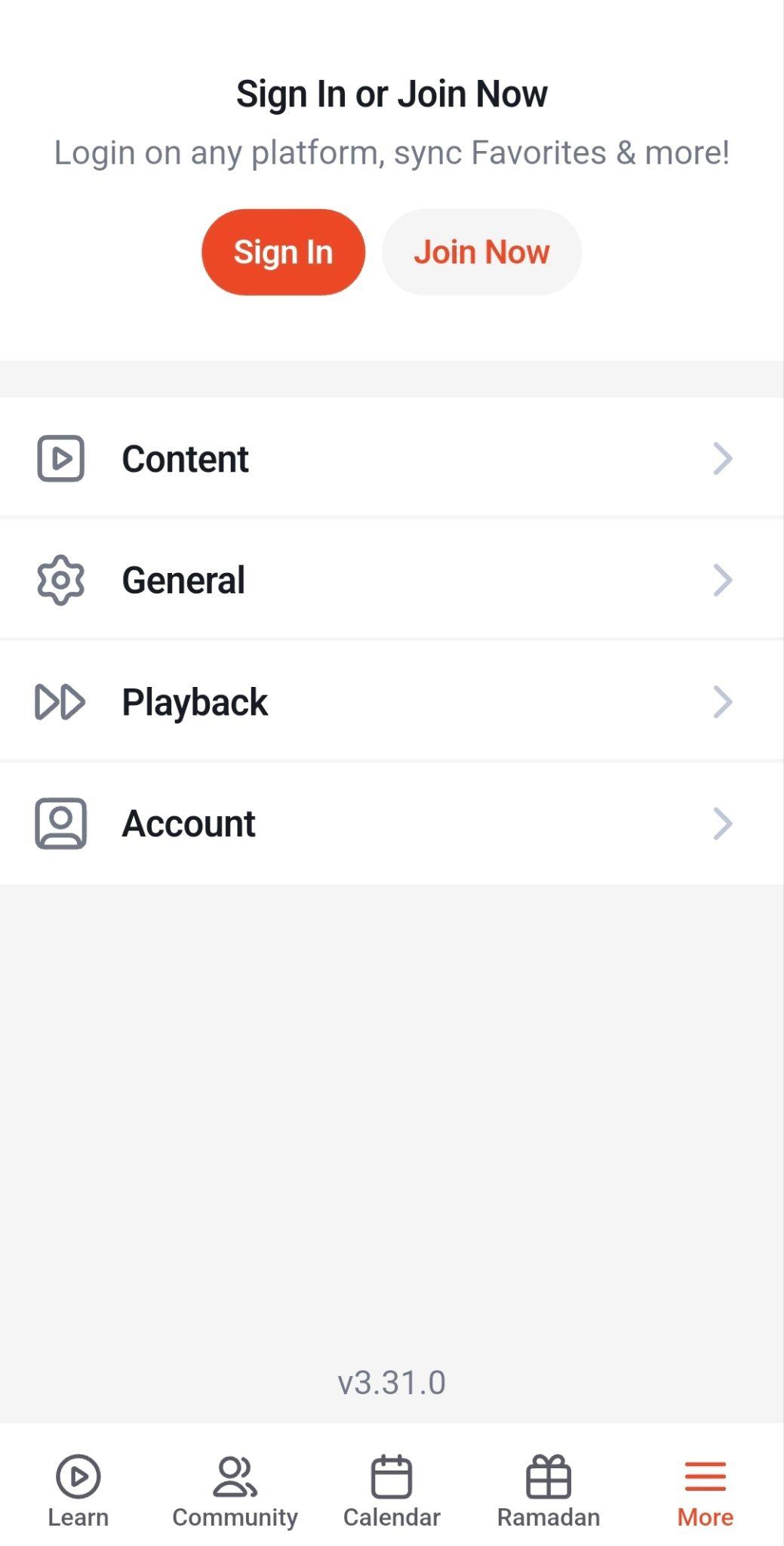
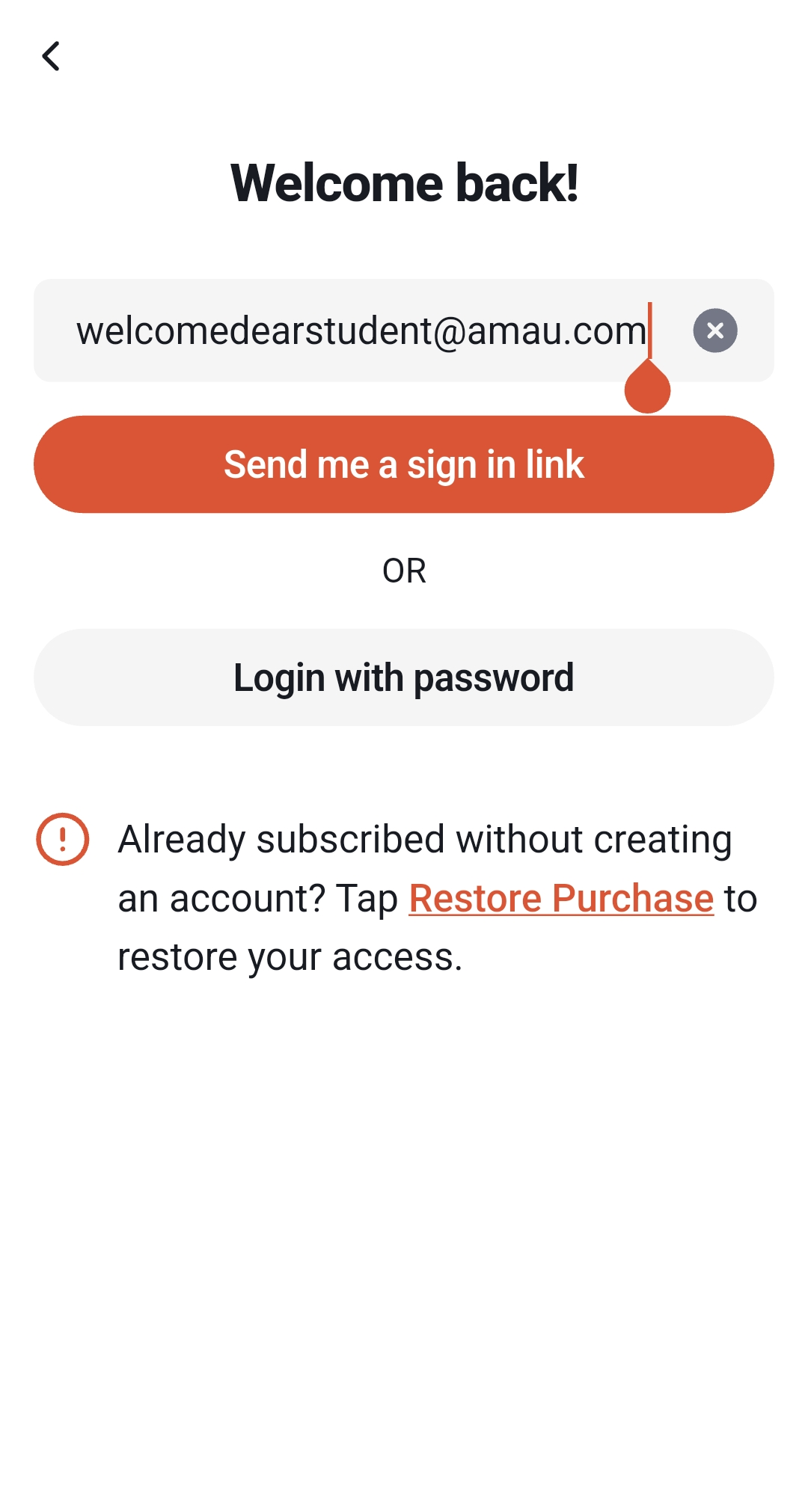
-
Enter your registered email address.
-
Tap Send Me a Sign In Link.
-
Open your email inbox and find the message from AMAU.
-
Click the Magic Link in the email.
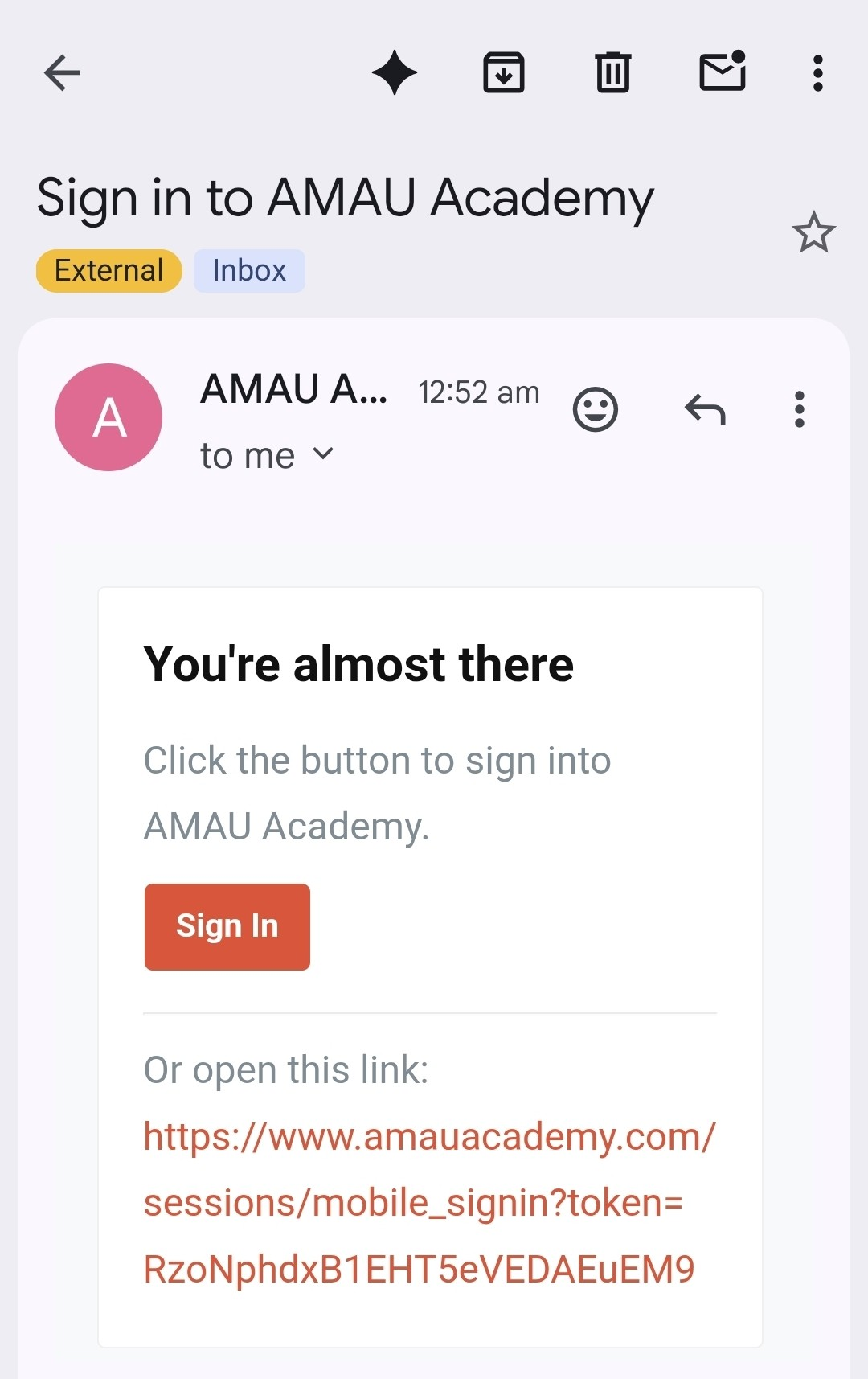
You will be signed in automatically once the link is opened.
Note: Magic links expire after a short time, so it is best to open the email soon after receiving it.
Password Sign-In
You can also log in using your email address and password.
Steps
-
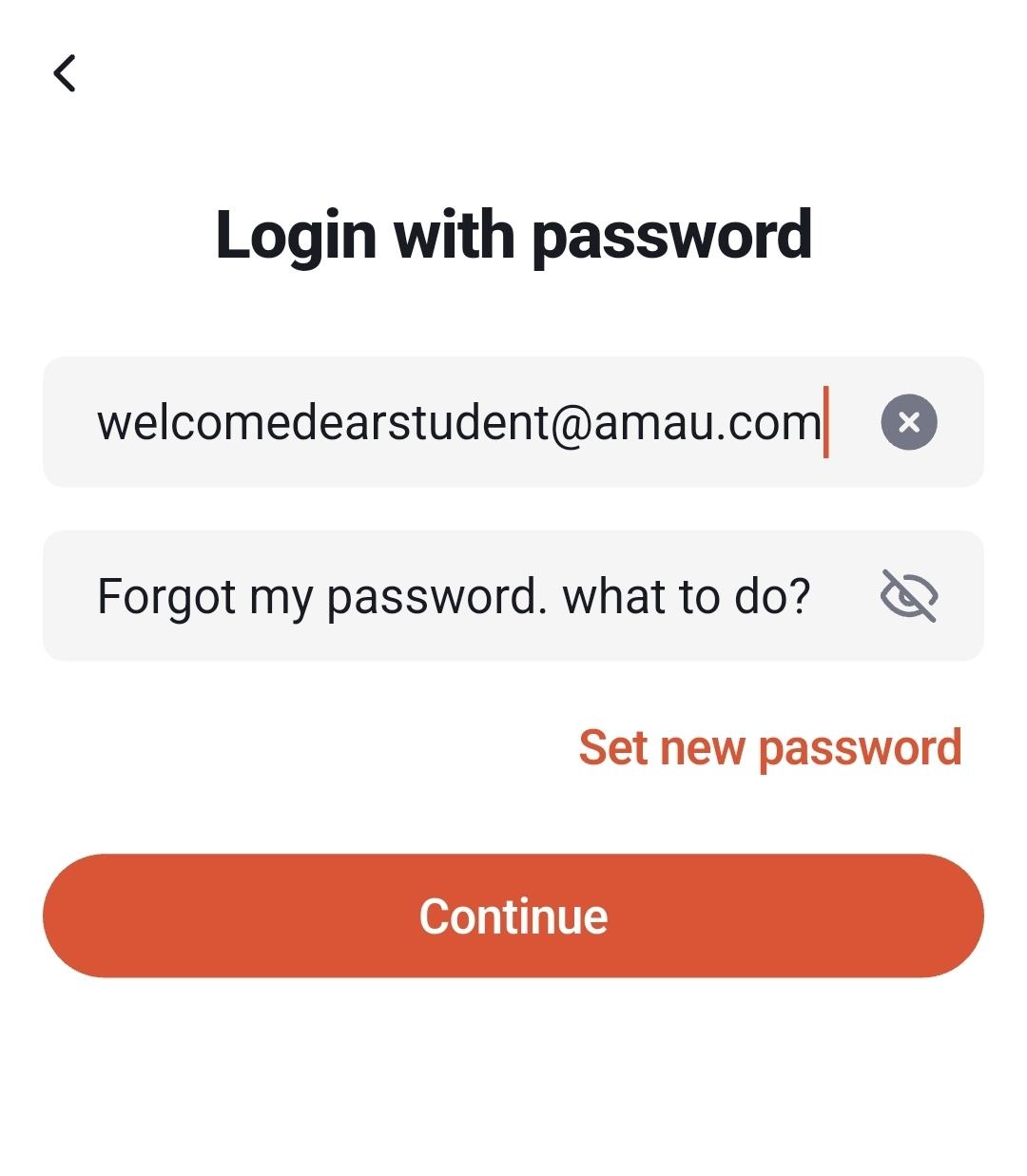
On the Sign In page, tap Login with Password.
-
Enter your registered email address.
-
Enter your password.
-
Tap Continue.
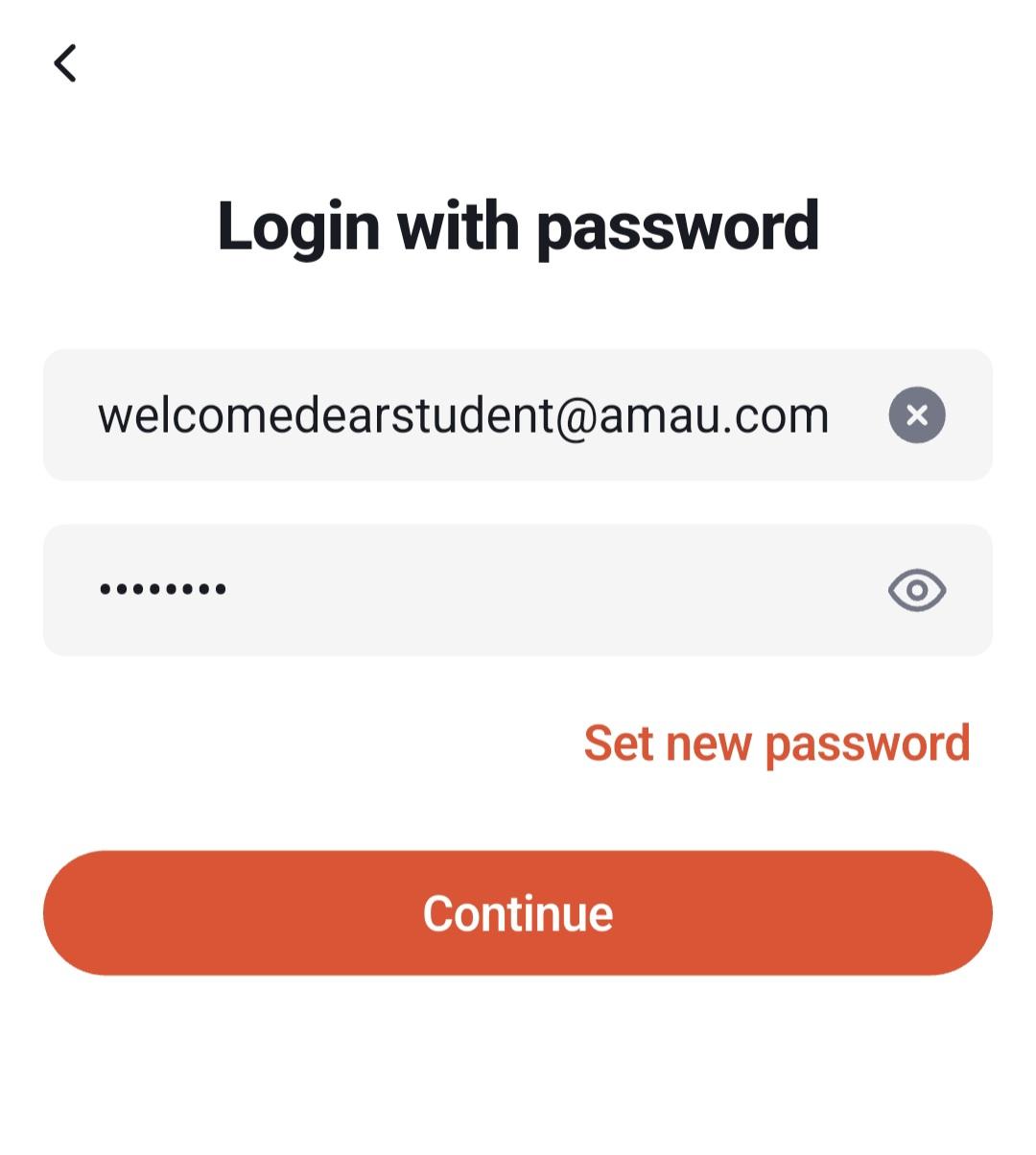
Forgot Your Password?
If you forget your password:
-
Select Set new password on the login page.
-
Enter your email address and tap Continue. An email will be sent to your inbox.
-
Follow the instructions in the email sent to you.
-
Create a new password and log in again.
Helpful Tips
-
Use the Magic Link for the fastest login experience.
-
Check your email carefully if you are waiting for the login link.
-
Most devices allow you to stay logged in, making future access quicker.
For any further queries please contact helpdesk@amauacademy.com