
Joining the AMAU Student Community
Updated
The AMAU Student Community is available to students with an active AMAU subscription. Once your plan is activated and you log in to your account, you can access the community directly from the platform.
Accessing the Community on the Website
On the website, the community is in the navigation menu on the left side of the screen.
To access it:
-
Log in to your AMAU account.
-
Open the navigation menu on the left side of the screen.
-
Under Student Portal, click Community.
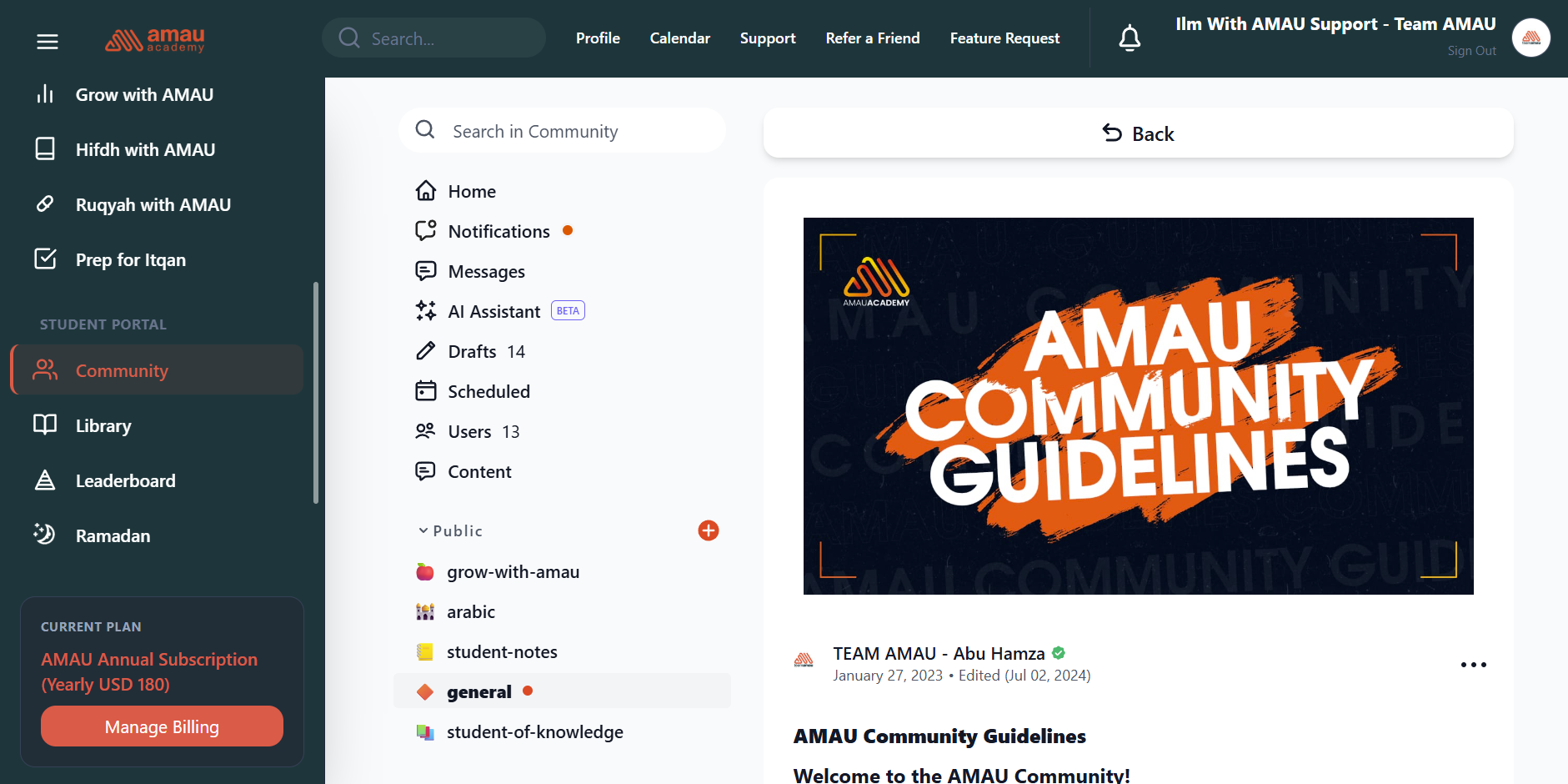
This will take you directly to the AMAU Student Community where you can view posts, discussions, and channels.
Accessing the Community on Mobile
On the mobile app, the community can be accessed from the navigation bar at the bottom of the screen.
To access it:
-
Open the AMAU app and log in.
-
Tap the Community icon in the bottom navigation bar.
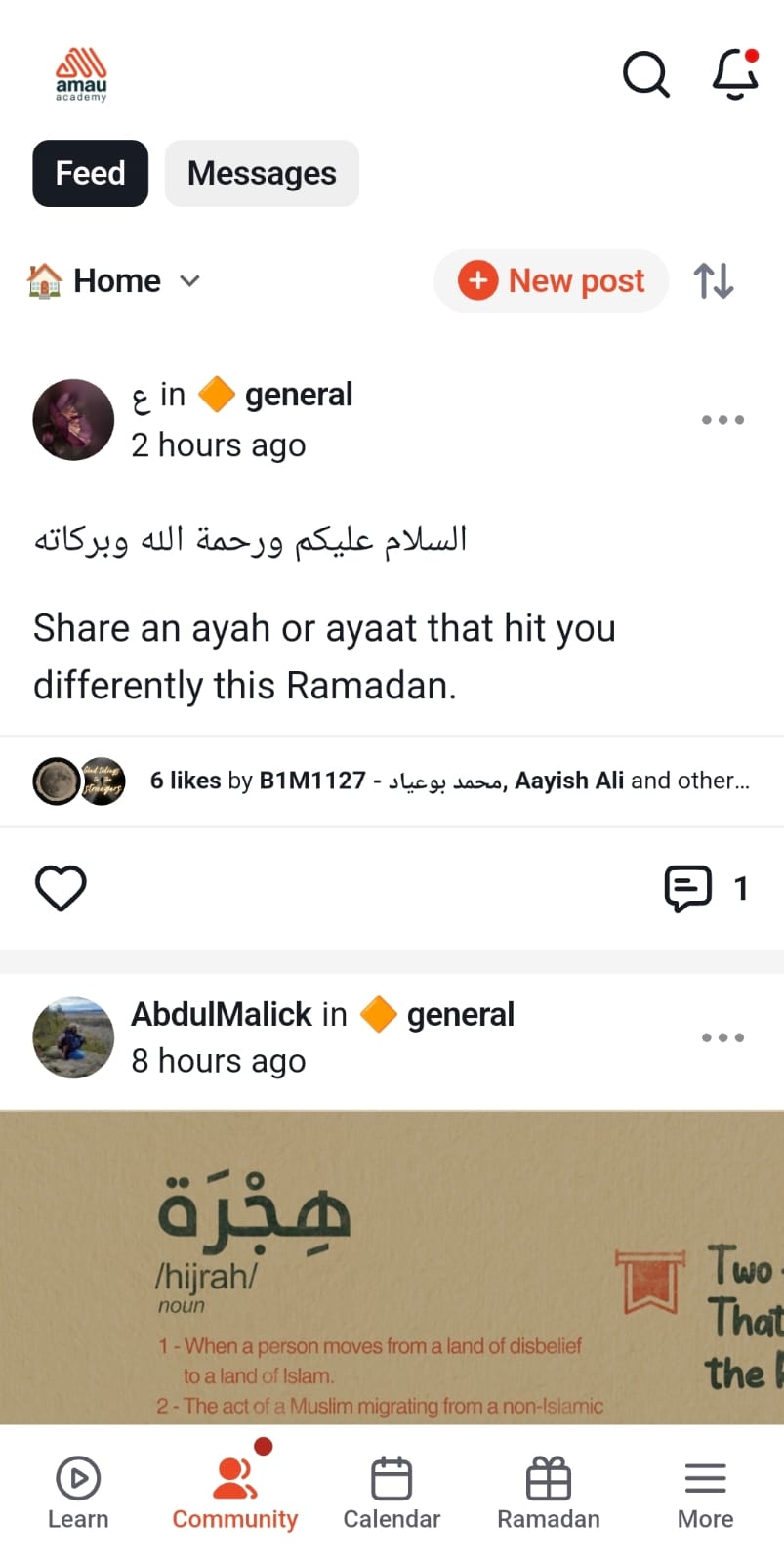
You will then enter the community space where you can explore discussions and interact with other students.
Once You Enter the Community
After entering the community, you can:
• Explore posts from other students
• Participate in discussions across different channels
• Share reflections from your studies
• Ask thoughtful questions and benefit from others
The AMAU Student Community allows students to learn together, share useful reminders, and support one another on their journey to seek knowledge.
For any further queries please contact helpdesk@amauacademy.com