
Pausing Your AMAU Academy Membership
Updated
Assalamu Alaikum Wa Rahmatullahi Wa Barakatuh.
If you need a temporary break from your studies, AMAU Academy allows you to pause your membership instead of cancelling it.
Pausing your membership allows you to step away for a period of time and return later without starting over.
Note: This option is available only for monthly subscriptions.
How to Pause Your Membership
-
Log in to your AMAU account.
-
Navigate to the Purchases tab.
-
Click Manage next to your subscription.
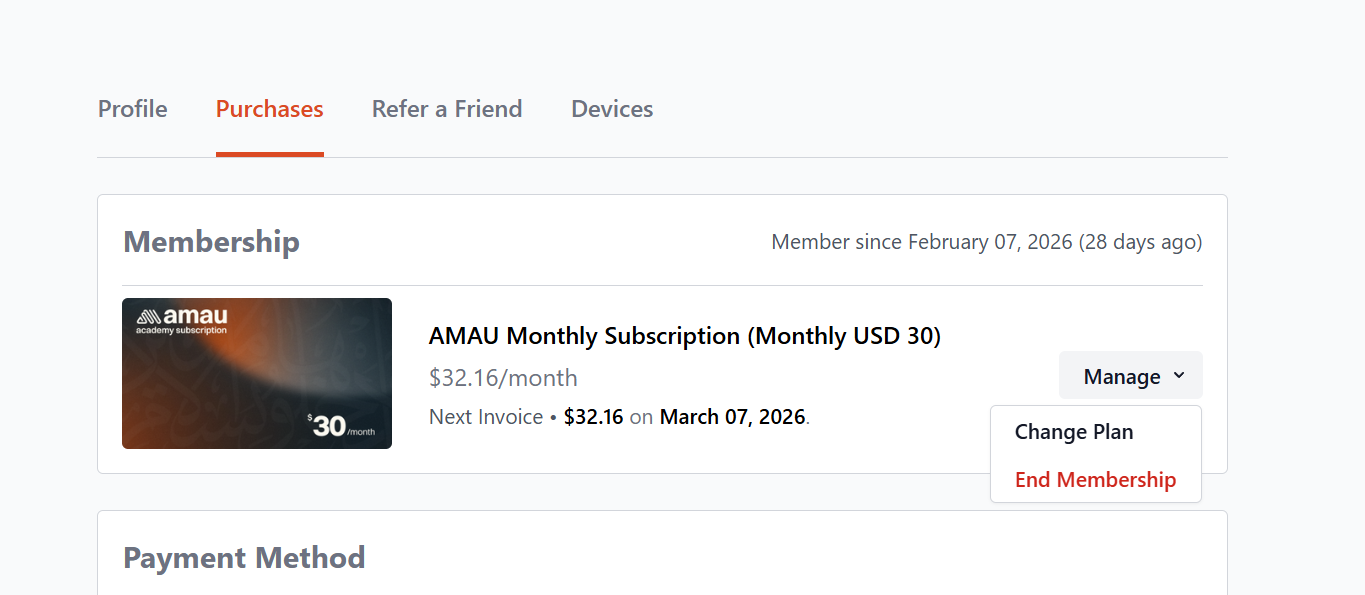
- Select End Membership, then choose Pause.
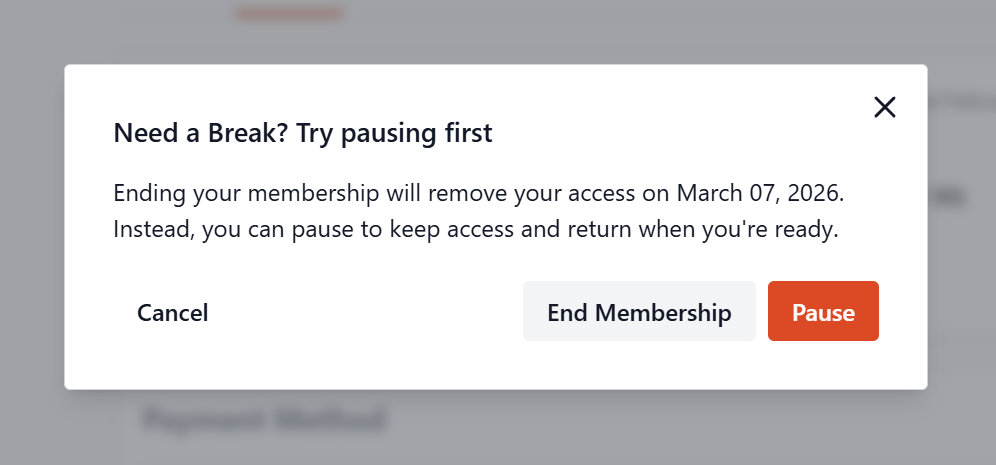
- Choose your pause duration: 1, 2, or 3 months.
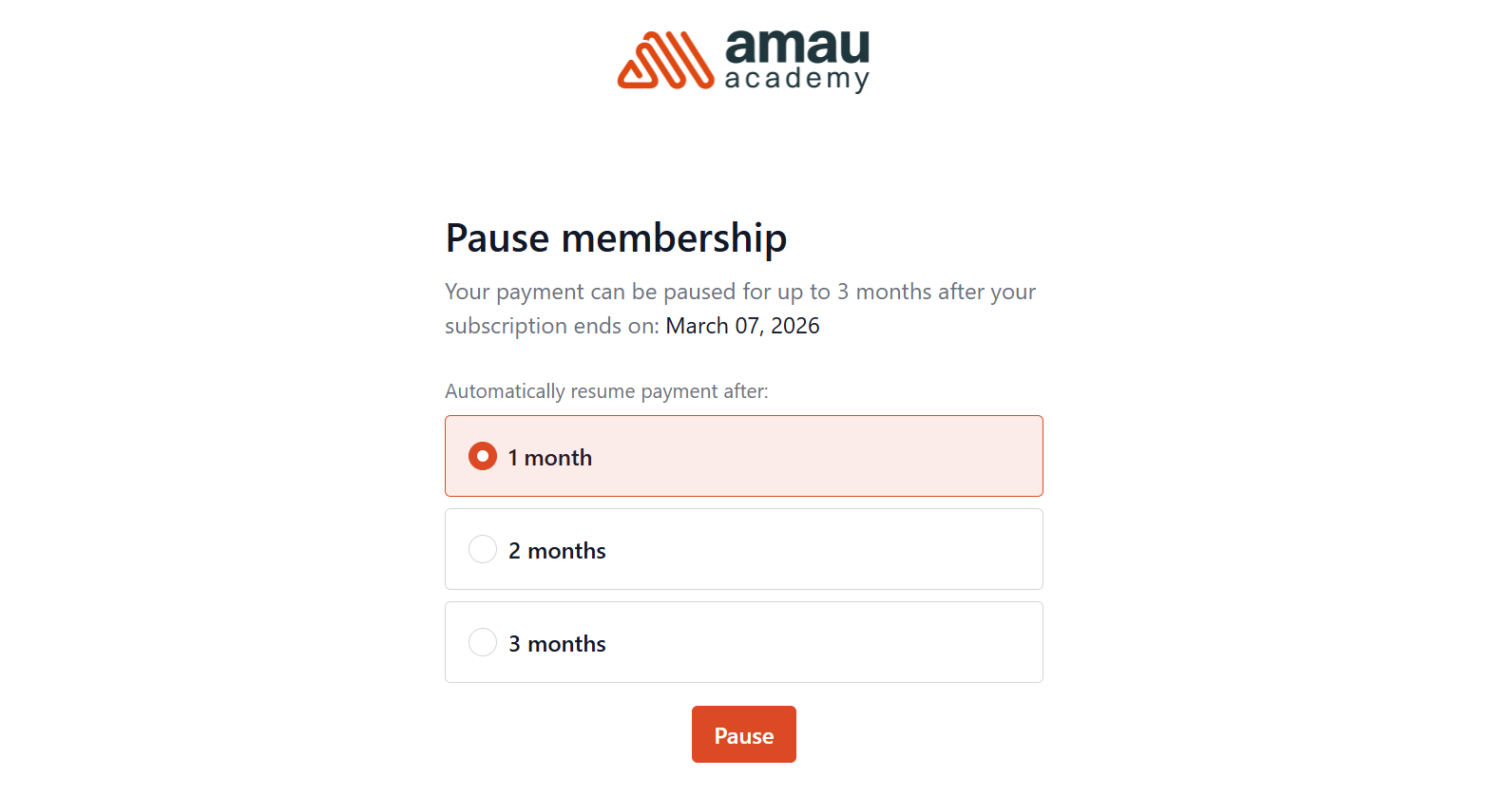
- Click Pause to confirm.
What Happens During the Pause
While your subscription is paused:
• You will not be billed during the pause period.
• You can still log in to your account, but access to subscription content will be temporarily restricted.
• Your subscription will automatically resume after the selected pause period.
• You will receive an email reminder 7 days before the pause ends.
Important:
The pause takes effect at the end of your current billing cycle, not immediately.
A membership may be paused only once every 12 months.
Resuming Your Membership
You can resume your membership at any time.
When you log in, you will see a “Resume Membership” button at the top of your account page. Clicking this will immediately reactivate your subscription.
When you resume:
• You will be billed immediately for a new subscription period.
• Full access to all content will be restored.
• Your subscription will return to its normal billing cycle.
Cancelling During a Pause
If you decide to cancel while your membership is paused:
-
Log in to your account.
-
Go to the Purchases tab.
-
Click the vertical ellipsis (⋮) menu next to the paused subscription.
-
Select End Membership.
Note: Cancelling while paused will reset the pause and revoke access immediately.
May Allah place barakah in your time and make your pursuit of knowledge beneficial.
For any further queries please contact helpdesk@amauacademy.com