
How to Cancel Your AMAU Academy Subscription
Updated
Assalamu Alaikum Wa Rahmatullahi Wa Barakatuh.
If you need to cancel your AMAU Academy subscription, you can do so from your account in just a few steps.
How to Cancel Your Subscription
-
Go to the AMAU Academy website and sign in to your account.
-
Once logged in, go to your account area. You can reach it in any of the following ways:
-
Click Profile, or
-
Click your account icon or your display picture at the top of the page, or
-
Click Manage Billing in the Current Plan box on the lower-left side of your dashboard.
-
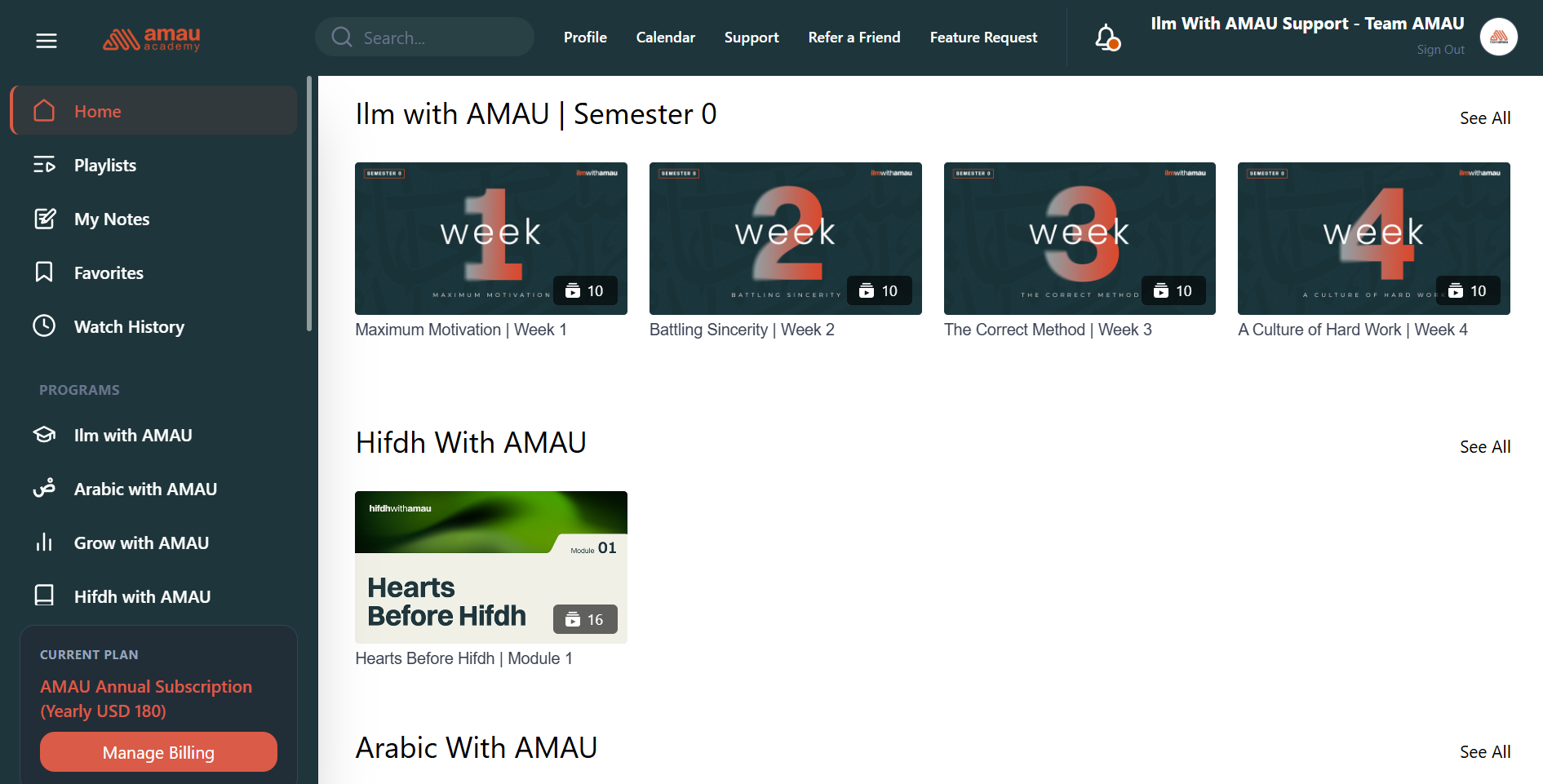
- This will take you to your account or billing page. From there, open the Purchases section.
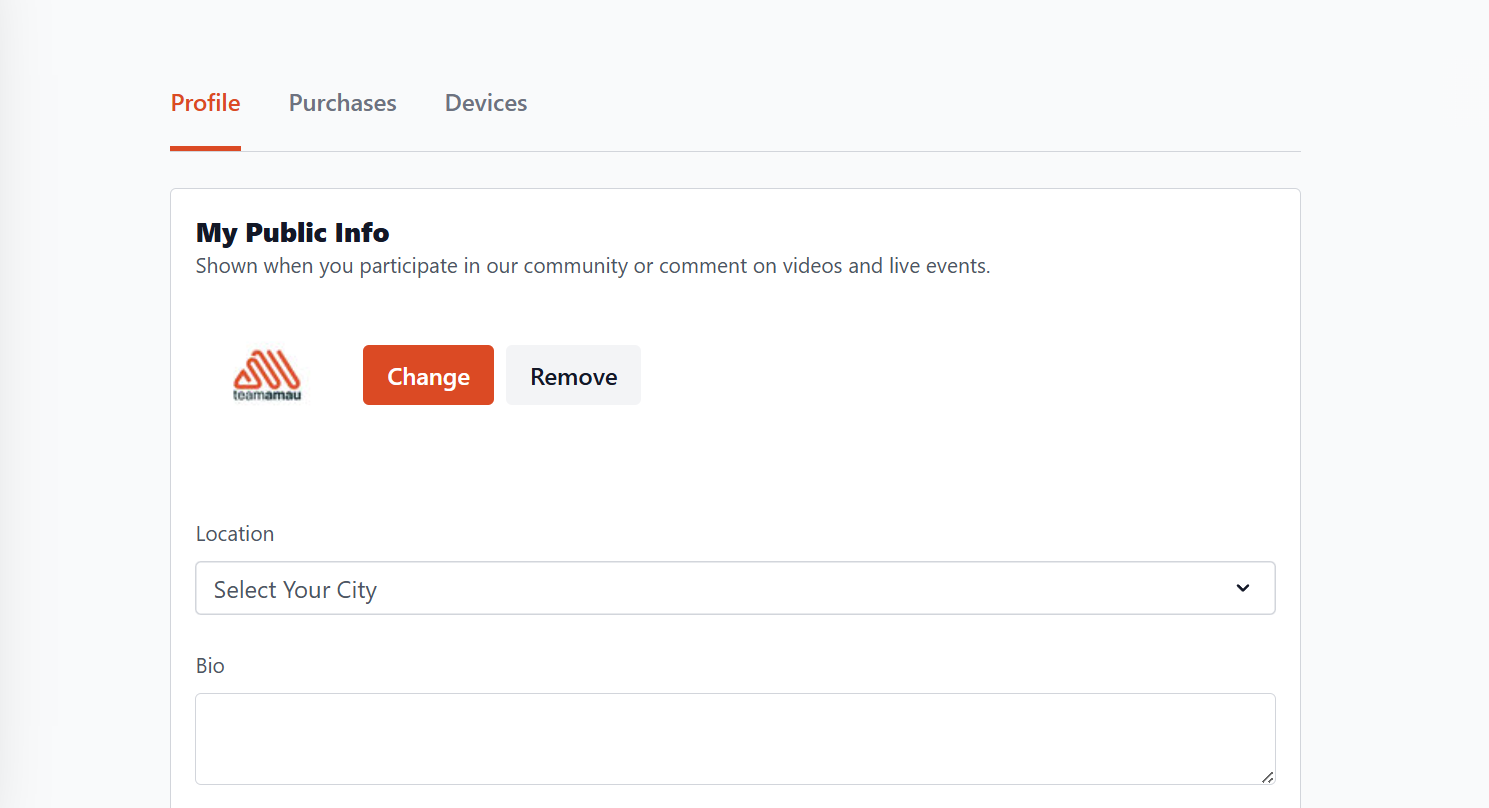
-
Under Purchases, you will see your current membership (Annual or Monthly).
-
Next to your membership, click the Manage dropdown.
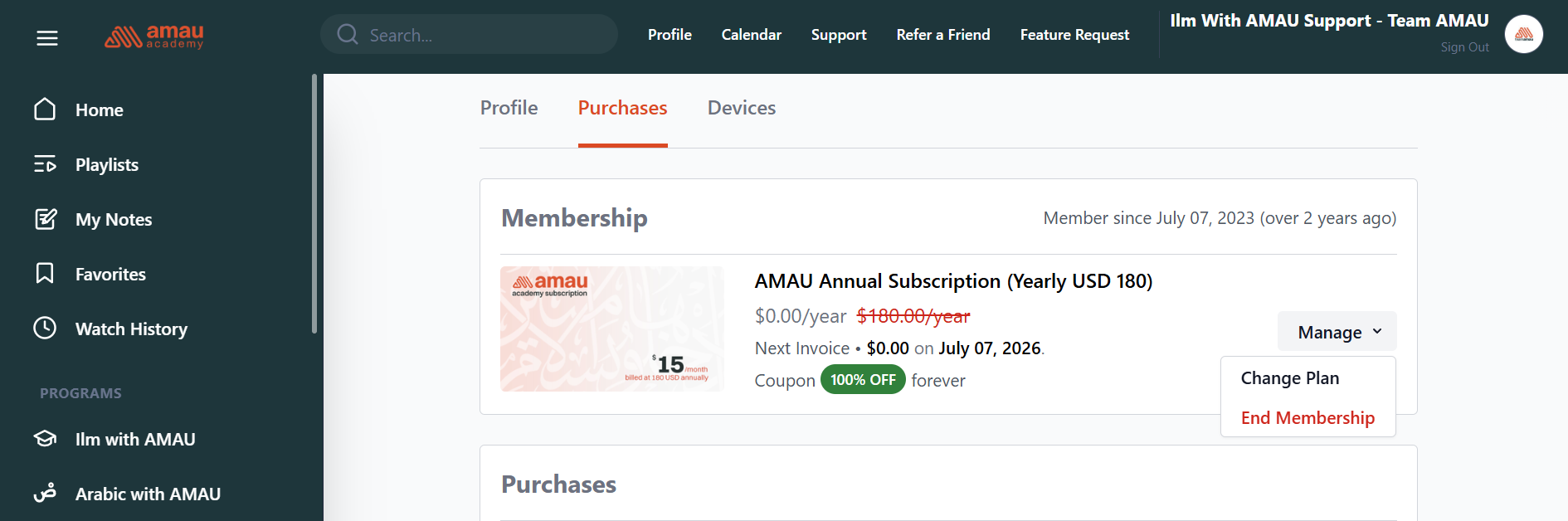
- From the dropdown, select End Membership to cancel your subscription.
You may also choose Change Plan if you wish to switch to a different plan instead.
Once your membership is cancelled, your access will remain active until the end of your current billing period.
Before You Cancel
If you are cancelling due to changes in your schedule or circumstances, a few options may help:
Need more flexibility? You may consider switching from the Annual plan to the Monthly plan, which allows you to continue studying with greater flexibility.
Want to take a break from studying? You can contact our support team to ask about possible options, such as pausing the subscription before cancelling.
Need help with your learning path? Our team can guide you if you are unsure how to continue with your studies.
Your time spent seeking knowledge is valuable, and we appreciate every student who studies with AMAU.
If you decide to cancel for now, you are always welcome to return whenever you are ready to continue your journey.
For any further queries please contact helpdesk@amauacademy.com